

Demo Blog

Welcome to the demo blog. You can customize (or remove) this section in the _index.md file in the blog folder. You can read about how to organize content in Hugo in the official docs.

The posts below are in the same folder (blog/) and can be in the supported formats by hugo (Markdown, HTML, Emacs Org Mode, AsciiDoc, Pandoc, or reStructuredText).

You can use translations as well.

Create your own version of the site

This article is a guide to help you create your own version of the site using Adritian. It will cover the main steps to get started with the theme, and how to customize it to your needs. Creating a site This theme is for the content management system Hugo, so that will be a pre-requirement. Make sure that you install the extended version of Hugo, as the theme uses SCSS for styling, as well as image optimization.

Continue reading...

Create your own version of the site

How to Add Custom Icons to the Adritian Theme

Feb 28, 2025
How to Add Custom Icons to the Adritian Theme Table of Contents Prerequisites Overview Step 1: Export Current …
Continue reading
How to Add Custom Icons to the Adritian Theme

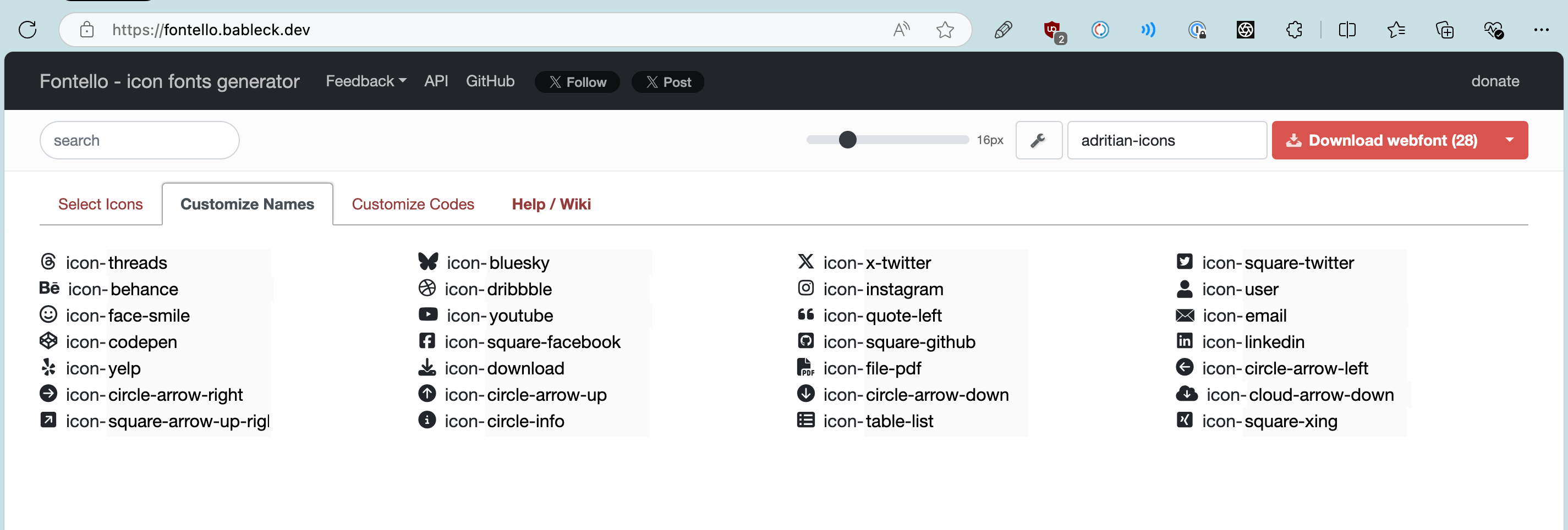
Icons

Feb 28, 2025
The theme has multiple icons available for use. You can see them rendered here: threads bluesky x-twitter email user …
Continue reading
Icons

Cross-Repo Content Sync: Preview Your Changes Before They Merge

When contributing content changes to the Adritian theme — a new blog post, updated homepage copy, or a new shortcode example — you can now see exactly how it will look on the live demo site before the PR is merged.

What Changed

Previously, when a PR was opened against the theme repository, the CI workflow would update the demo site’s go.mod to point to the PR branch. This meant you could preview theme code changes (layout tweaks, CSS updates, new partials) on the Vercel preview URL, but content changes from exampleSite would not be reflected.

Color schemes: personalize your site accent color

The theme ships with 7 named color schemes that replace the primary accent color across every component — links, buttons, tags, progress bars, focus rings, and skill bars — in both light and dark modes. No SCSS knowledge required.

If you have the live switcher enabled, you can try all the schemes right here in this post:


The 7 built-in schemes

Each scheme defines two hex values: a primary color for light mode and a brighter variant for dark mode (to maintain readability on dark backgrounds).

SEO Features: Meta Descriptions, Hreflang, and Structured Data

The Adritian theme includes built-in SEO features that help search engines understand and properly index your content. This post covers what’s available and how to get the most out of it.

Per-Page Meta Descriptions

Every page on your site gets a unique <meta name="description"> tag using this fallback chain:

  1. Page description front matter (if set)
  2. Auto-generated page summary (plainified and truncated to 155 characters)
  3. Site-wide fallback from your i18n head_description string

To set a custom description for any page, add it to your front matter: